Every student
The paper changes. It never says why.
One room can hold an eight-grade span of reading. The hub’s answer is to change the packet a student is handed — its reading level, its spacing, its length, its contrast — without printing a single word about which accommodations they get or why.
What can change on a student’s paper
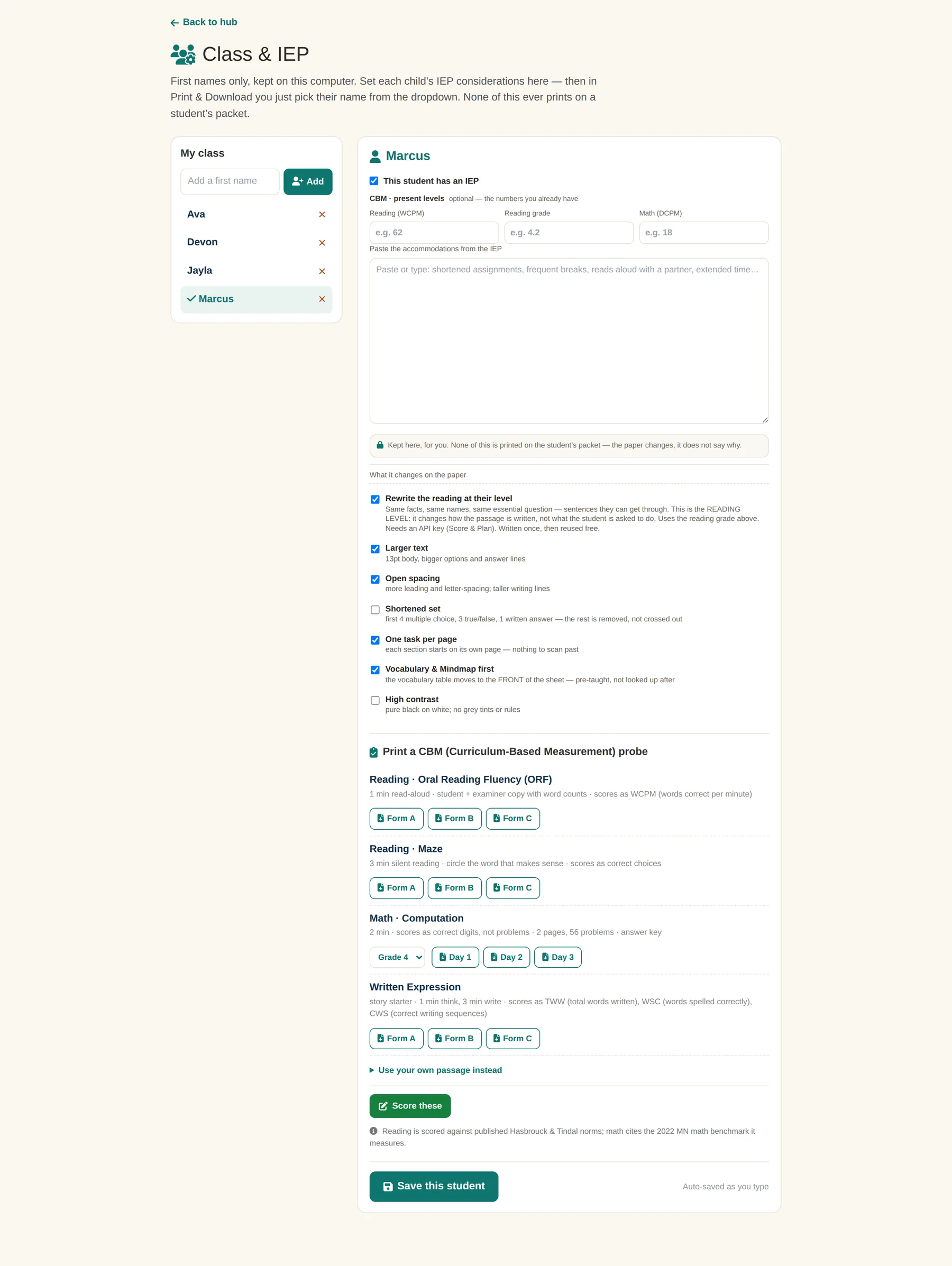
- Rewritten at their reading level — same facts, same names, same essential question, sentences they can get through. It changes how the passage is written, not what the student is asked to do.
- Larger text — 13pt body, bigger options and answer lines.
- Open spacing — more leading and letter-spacing, taller writing lines.
- Shortened set — first 4 multiple choice, 3 true/false, 1 written answer. The rest is removed, not crossed out.
- One task per page — each section starts on its own page; nothing to scan past.
- Vocabulary first — the vocabulary table moves to the front of the sheet, pre-taught rather than looked up afterwards.
- High contrast — pure black on white, no grey tints or rules.
The last three are not tied to a plan. Shortened set, one task per page and high contrast are available for any student, with no diagnosis attached to them.
Progress monitoring that a case manager can actually use
The hub prints curriculum-based measurement probes directly: oral reading fluency, maze, math computation and written expression, in parallel forms.
- Reading · Oral Reading Fluency — 1 minute, student and examiner copies with word counts, scored as words correct per minute. Forms A, B and C.
- Reading · Maze — 3 minutes silent, circle the word that makes sense, scored as correct choices. Forms A, B and C.
- Math · Computation — 2 minutes, scored as correct digits rather than problems; 2 pages, 56 problems, with an answer key. Grades 1–8, three days.
- Written Expression — a story starter, 1 minute to think and 3 to write, scored as total words written, words spelled correctly and correct writing sequences.
Reading is scored against published Hasbrouck & Tindal norms; math cites the 2022 Minnesota math benchmark it measures. Neither number is invented by the hub.
Read aloud, in two languages
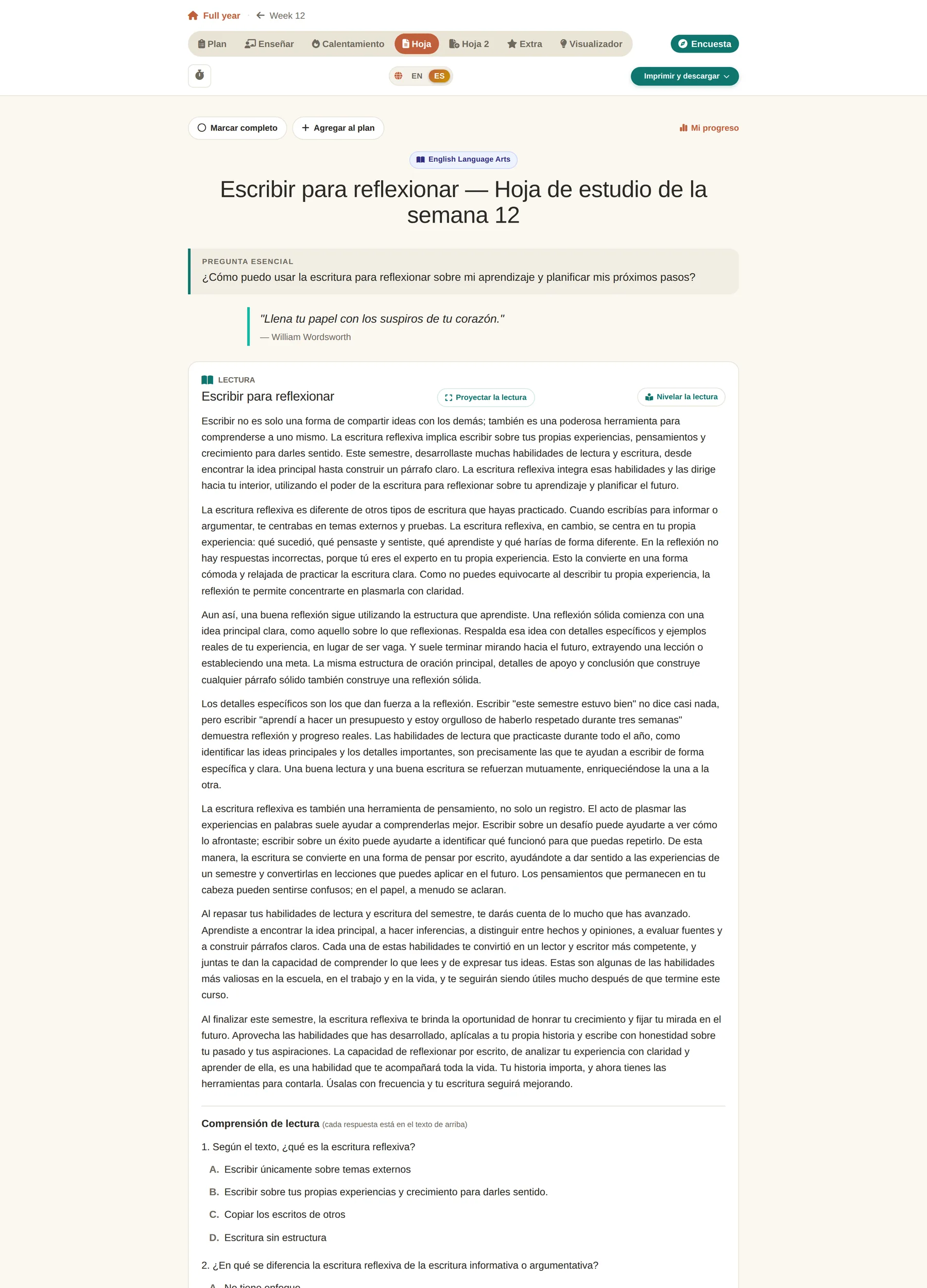
Study sheets read themselves aloud with the sentence and the word highlighted as they are spoken. Switch the page to Spanish and the reading runs in Spanish, in a Spanish voice, with the same highlighting — the student-facing text changes, not just the menu labels.
Printing a packet
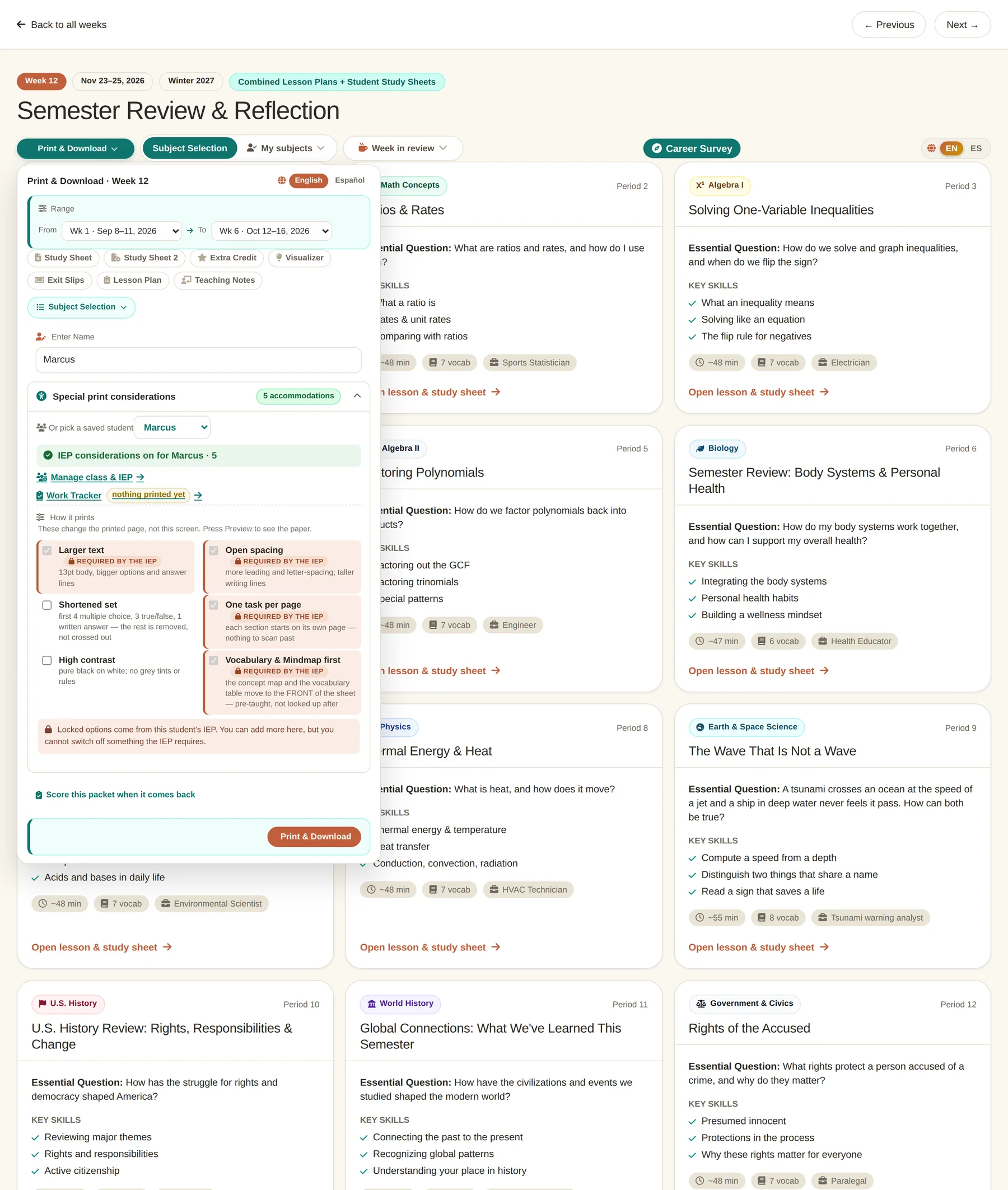
Pick a range of weeks — one week, or week 1 through week 6, or any two points in the year — then tick which materials go in: study sheets, extra credit, exit slips, teaching notes. Pick a student’s name and their considerations apply to everything in the packet.
What stays on the machine
Names are first names only. Everything entered on the Class & IEP page — present levels, accommodations, which considerations are ticked — is stored on that computer and nowhere else. Nothing is sent anywhere, and none of it prints on a child’s packet.
To be exact about a limit: the on-device profiles are a convenience for staff, not a security boundary. They keep a colleague’s settings out of your way; they are not authentication and should not be relied on as though they were.
The page a student opens
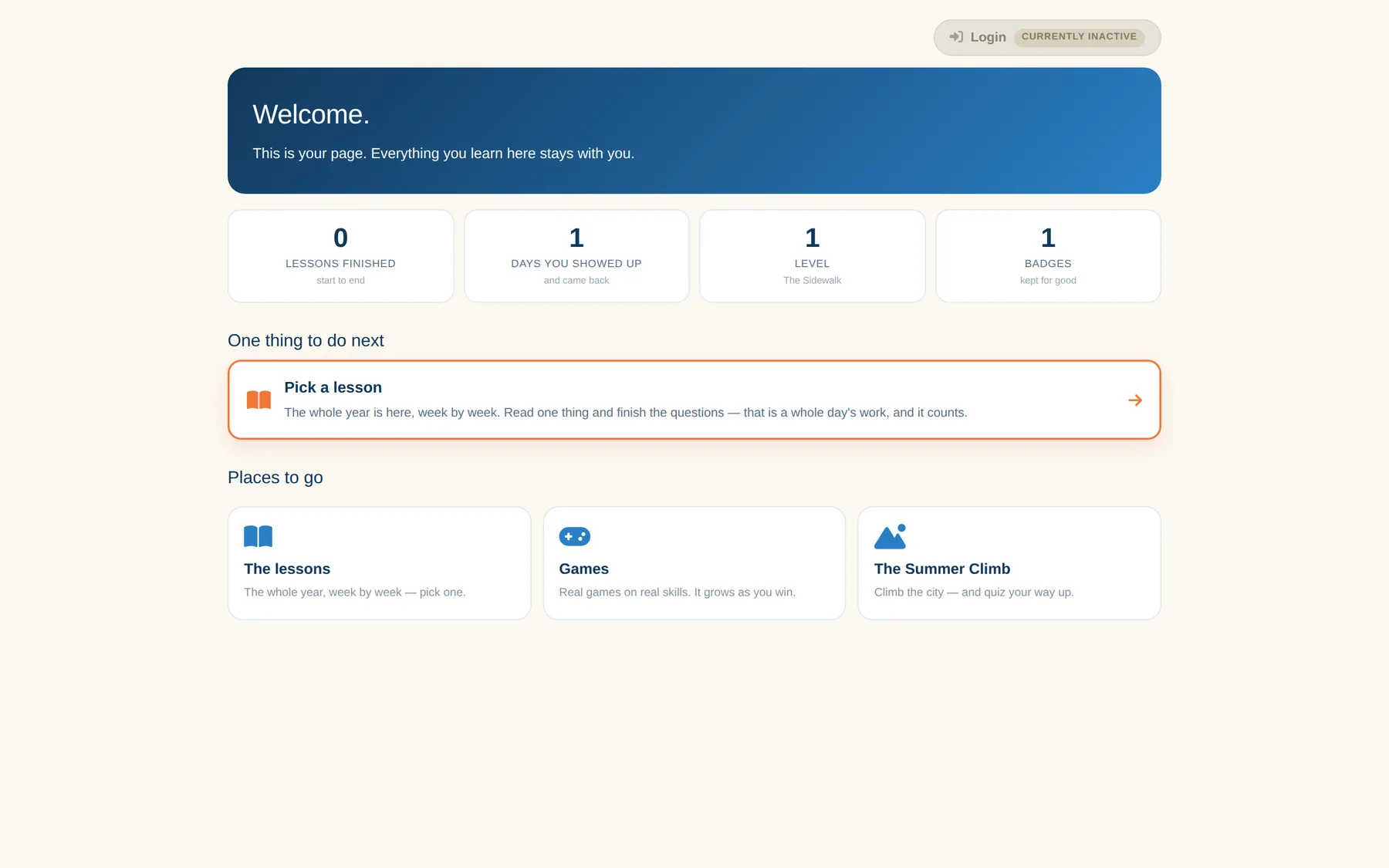
Students do not get the teacher’s view. They get one page with one thing to do next, a count of the days they showed up, and a route into the lessons, the games and the Summer Climb. It is written for someone who may only be enrolled four weeks, so it never opens on how far behind they are.